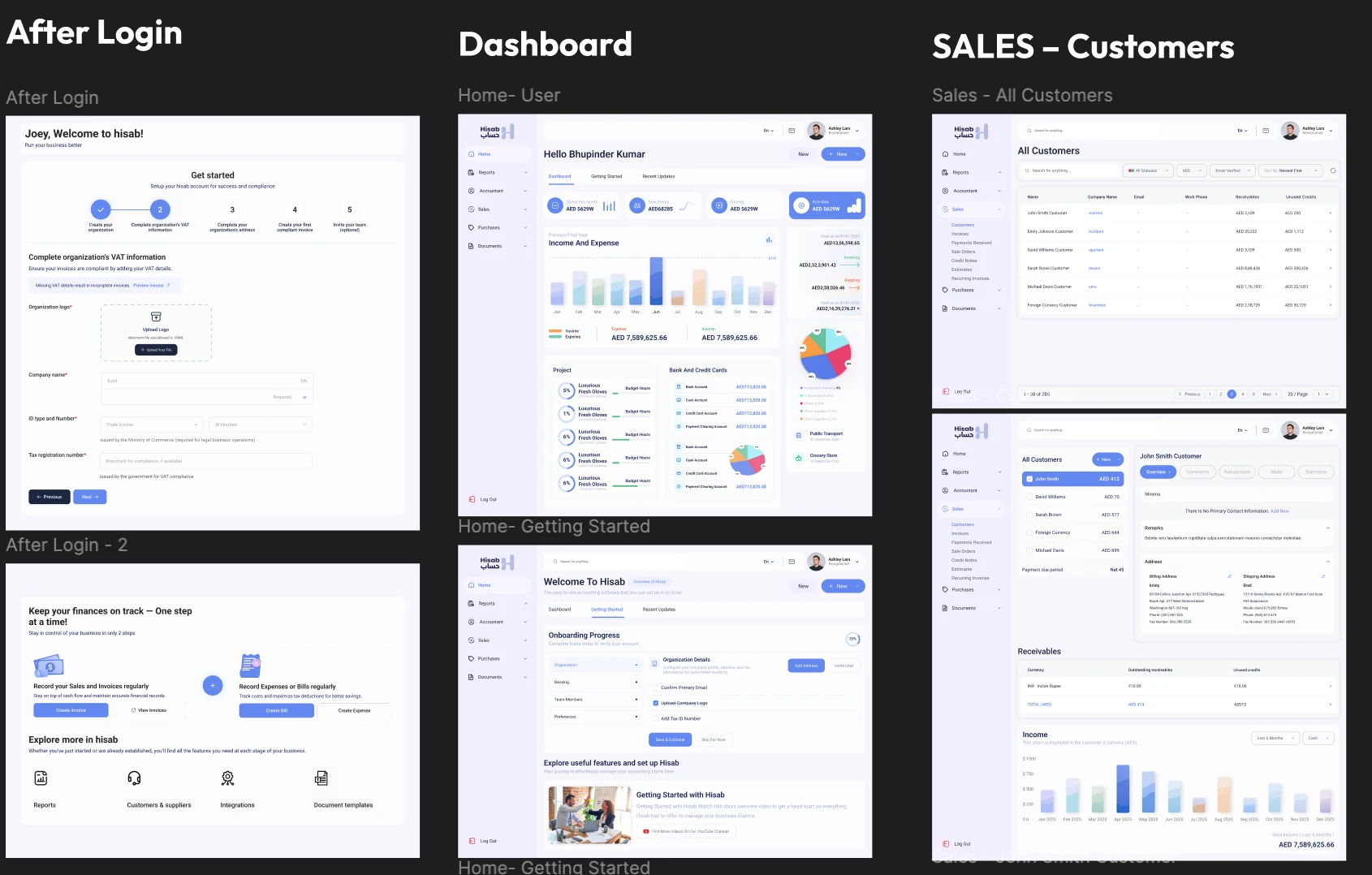
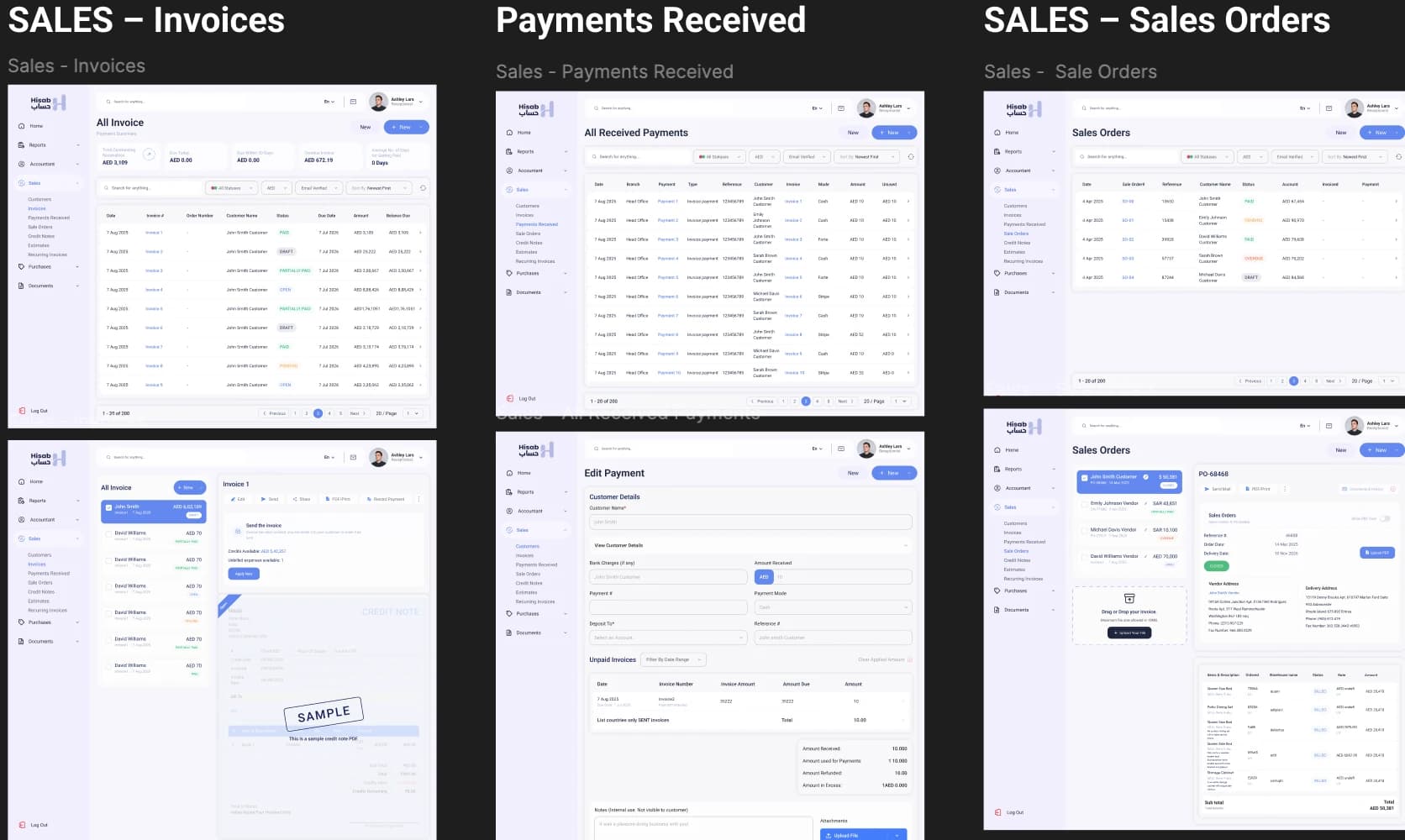
Hisab is presented as a business finance workspace for managing sales and day-to-day records. The screens shown span first-time setup, an account dashboard, customer management, invoices, payments received, and sales orders.

MENU
02 / FINANCE SAAS · PRODUCT UX/UI
Hisab.
A clearer workspace for everyday business finance.
THE PRODUCT
Make a broad set of finance and sales tasks feel like one coherent product, while helping new users get started and returning users find the right records quickly.
I designed the UX and UI across the screens shown, bringing onboarding, overview, and detailed sales tasks into a consistent application structure.
Make each next step feel clear.
The supplied screens show a left navigation organized around Home, Reports, Accountant, Sales, Purchases, and Documents. Within Sales, customers, invoices, payments, and orders each have dedicated list and detail views.
DESIGN FOCUSDesign focus: maintain a stable workspace and navigation while giving each finance task the information and actions relevant to that task.
What the experience makes easier.
Three decisions in the product, connected to the screens and details shown here.
Turn account setup into visible progress.
The onboarding screens show a numbered setup sequence, mark completed steps, and make the next task clear.
The supplied Hisab screens show an organization checklist, current step, and a visible next action.Let navigation stay consistent as the task changes.
Home, Sales, Purchases, and Documents remain in one application shell while the main view changes to the task at hand.
The supplied dashboard, customer, invoice, payment, and sales-order screens share the same left navigation.Connect a customer to the work around them.
A customer detail view brings account information, receivables, and related activity into the same working context.
The supplied customer screen combines overview details, receivables, income, and account information.These are design rationale and screen evidence, not measured user or business outcomes.
Bring the connected parts into view.
The designed product experience covers onboarding, dashboard review, customer records, invoices, received payments, and sales orders. No performance metrics were supplied.
Guided onboarding with a visible setup checklist
Dashboard overview with finance summaries and charts
Searchable customer, invoice, payment, and order lists
Customer detail view combining receivables and account context